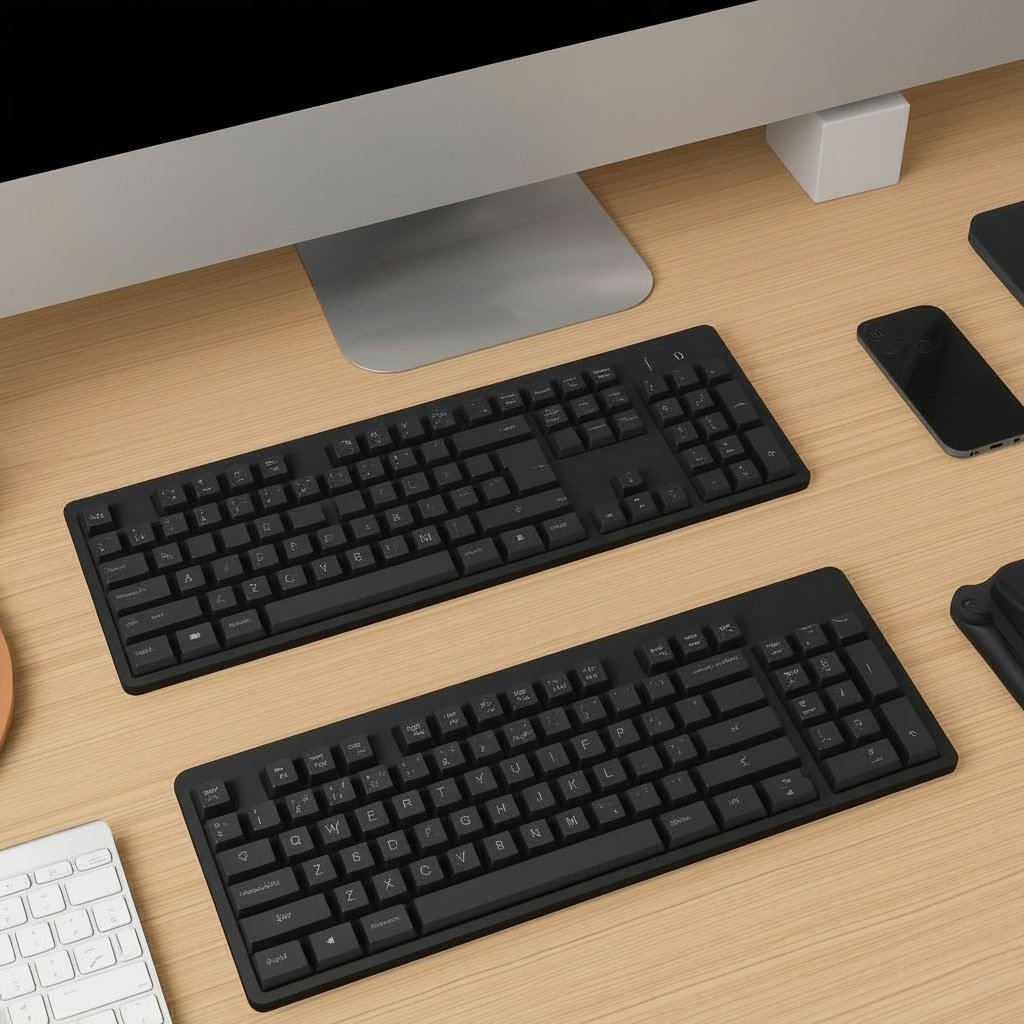
When you spend many hours typing every day, your keyboard becomes one of the most important tools on your desk. However, you don’t need to spend a lot of money to get something comfortable, reliable, and efficient. In this guide, we will look at the key features you should consider and explore several affordable keyboard options that are great for office work.
What to Look for in a Budget Office Keyboard
1. Comfort and ergonomics
A good office keyboard should feel comfortable to use for several hours. Look for keys that are easy to press and a layout that feels natural. If you type a lot, consider a keyboard with a slight tilt or a wrist rest, as this can help reduce strain on your hands and wrists.
2. Key feel and noise level
For office environments, loud keyboards can be distracting. Membrane or “chiclet” style keyboards are usually quieter and more suitable for shared spaces. Pay attention to how the keys feel: some people prefer soft, quiet keystrokes, while others like a more tactile response.
3. Layout and extra keys
A full-size keyboard with a number pad is very helpful if you work with spreadsheets or numbers. Some keyboards also include media keys (for volume, play/pause, etc.) and shortcut buttons for quick access to functions like search, email, or calculator. These small features can save time during the workday.
4. Wired vs. wireless
Wired keyboards are usually cheaper and don’t need batteries. Wireless keyboards help keep your desk clean and give you more flexibility in positioning. If you choose a wireless model, check the battery life and the type of connection (USB receiver or Bluetooth).
5. Build quality and durability
Even on a low budget, you should expect a keyboard that can handle everyday use. Look for models with good reviews about durability and keys that don’t fade or break easily. A spill-resistant design is also a plus in an office with coffee or water nearby.
Best Types of Low-Budget Keyboards for Office Work
Below are some types of keyboards that generally offer great value for money. You can use these descriptions as a guide when choosing a specific model.
Basic wired membrane keyboards
These are often the most affordable option and are available from many brands.

- High-quality wired keyboard with numeric keypad: Flat, reliable and whisper-quiet – awarded the globally recognized GS m…
- Type faster and get more done: CHERRY SX scissor technology ensures a precise pressure point and an ideal typing experie…
- 3 red status LEDs (CAPS LOCK, NUM, and SCROLL), 2 practical fold-out feet and abrasion-resistant keys: Lettering remains…

- ULTIMATE WIRED KEYBOARD: Enhance your workplace with both style and increased productivity. This mac keyboard has a heig…
- BROAD COMPATIBILITY: If your laptop or computer has a USB port, you are ready to go! Works with both Mac OSX and Windows…
- SHORTCUT KEYS & TEN-KEY NUMERIC KEYPAD: With 20 Apple shortcut keys it is the perfect mac keyboard wired alternative. Al…
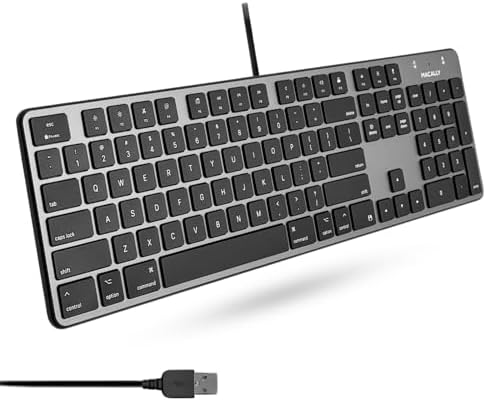
- Aesthetic and Functional: Elevate your workstation with this 104-key, full-sized keyboard for Mac, featuring a built-in …
- Enhanced Typing Experience: Enjoy a high-quality typing experience with smooth, tactile feedback on every keystroke, the…
- Easy Setup: Just plug in via USB-A, and you’re set. Compatible with any USB-enabled device, it’s the perfect solution as…
Best for:
- People who need a simple, reliable keyboard
- Offices that prefer quiet typing
- Users who don’t need extra features
Pros:
- Very low price
- Plug-and-play via USB
- Usually quiet and office‑friendly
Cons:
- Fewer extra keys or functions
- Key feel may be less premium than more expensive models
When choosing a basic wired keyboard, look for soft keystrokes, clear key legends, and at least some tilt adjustment on the back.
Compact keyboards without number pad (tenkeyless)
Compact or tenkeyless (TKL) keyboards remove the number pad to save space.

- 𝗖𝗼𝗺𝗽𝗮𝗰𝘁 𝗣𝗼𝘄𝗲𝗿 – A minimalist keyboard that blends portability and performance. The EX1 keeps you connected to all your d…
- 𝟰-𝗶𝗻-𝟭 𝗠𝘂𝗹𝘁𝗶-𝗗𝗲𝘃𝗶𝗰𝗲 𝗖𝗼𝗻𝗻𝗲𝗰𝘁𝗶𝘃𝗶𝘁𝘆 – Connect to Mac, Windows, tablet, and phone — three Bluetooth channels + one 2.4GHz do…
- 𝗜𝗻𝘀𝘁𝗮𝗻𝘁 𝗢𝗦 𝗞𝗲𝘆 𝗥𝗲𝗺𝗮𝗽 𝘄𝗶𝘁𝗵 𝗤𝘂𝗶𝗲𝘁 & 𝗣𝗿𝗲𝗰𝗶𝘀𝗲 𝗧𝘆𝗽𝗶𝗻𝗴 – A physical OS toggle ensures shortcuts feel native on macOS or Window…

- 2.4 GHz & Bluetooth Wireless Connection – The B1 Pro boasts a rapid 1000 Hz polling rate on 2.4 GHz wireless mode that i…
- Type Quietly – The scissor-switch keys are quiet and especially appreciated in quiet environments like in the office or …
- Program Any Key with Web App – Remap any key and macro with the Keychron Launcher web app (no download required) or ZMK …
- Mac Only, Not for Windows/PC: Small keyboard without numeric keypad features a compact layout designed for precise funct…
- Designed Specifically for Mac: Featuring backlit Mac keys and a sleek metallic plate, the K90-A bluetooth keyboard offer…
- Customizable Backlighting: Customize your typing experience with ProtoArc backlit wireless keyboard for Mac, offering th…
Best for:
- Small desks or minimal setups
- Users who don’t use the number pad very often
- People who want more space for the mouse
Pros:
- More space-efficient
- Often more ergonomic for mouse position
- Can be both wired or wireless at a low price
Cons:
- No dedicated number pad
- Might take time to adjust if you are used to full-size keyboards
When looking for a compact keyboard, make sure the key spacing still feels comfortable and that important keys (like arrow keys and Delete) are easy to reach.
Affordable wireless office keyboards
Wireless keyboards are now much cheaper than before and can still fit a low budget.

- Easy Setup: Simply insert the nano USB receiver into your computer and use the keyboard instantly.
- Ergonomic design: Stainless steel material gives heavy duty feeling, low-profile keys offer quiet and comfortable typing…
- 6-Month Battery Life: Rechargeable lithium battery with an industry-high capacity lasts for 6 months with single charge …

- 3 Devices Switch with A Single Clicking: This keyboard is able to connect to 3 devices at the same time. You can switch …
- Ergonomic design: Stainless steel material gives heavy duty feeling, low-profile keys, full size keys, arrow keys, numbe…
- Broad Compatibility: Use with all four major operating systems supporting Bluetooth (iOS, Android, Mac OS and Windows), …

- Sleek & Wireless: Stainless steel & Abs construction with a 10 tilt. Allows for cluster-free operation on your desktop, …
- Multi-Devices & Multi-OS: Seamlessly switch among 3 devices with BT 5.1 tech. Automatically recognizes different operati…
- Responsive & Low-Profile: The scissor key mechanism enhances feedback and stability. The optimized key-travel, and anti-…
Best for:
- Clean, cable-free desks
- Laptop users who want a better typing experience
- People who often move their keyboard around
Pros:
- No cable clutter
- Easy setup with a USB receiver or Bluetooth
- Many include a mouse in a combo pack at a good price
Cons:
- Requires batteries or charging
- Possible input lag with very cheap models
- USB dongle can be easy to lose
For office work, look for wireless keyboards with good battery life and stable connection. Keyboard-and-mouse combo packs are often the best value.
Quiet “laptop-style” keyboards (chiclet keys)
These keyboards have flat, square keys similar to those on modern laptops.
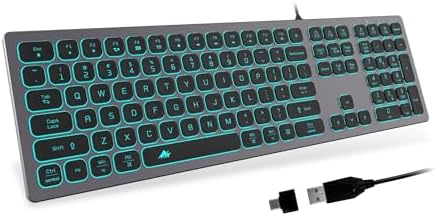
- 【 EXCELLENT TYPING EXPERIENCE 】 With comfortable low-profile keys and standard PC keyboard layout with full-size design …
- 【 ULTRA-SLIM AND ERGONOMICS DESIGN 】 POWZAN keyboard is convinced that is Ultra-slim with the high-end scissors switch w…
- 【 SPLENDID LED BACKLIGHT 】 The keyboard is an essential piece of equipment for any computer. It takes a prominent positi…

- 【Dual USB-C & USB-A Wired Keyboard for Mac/Windows】 Experience universal compatibility with this full size wired keyboar…
- 【Ultra-Slim Full Size Keyboard with Numeric Pad】 Crafted from premium aluminum alloy, this ultra-slim USB C keyboard boa…
- 【Ultra Silent Full Size Keyboard with 19-Key Anti-Ghosting】 This ultra silent full size keyboard features responsive sci…

- (WIRED MAC KEYBOARD WITH BACKLIT KEYS: ALWAYS ON, ALWAYS CONNECTED) Plug in the USB cable and your Mac recognizes it ins…
- (107-KEY MAC LAYOUT WITH 16 MACOS SHORTCUTS) Full-size keyboard with the Apple layout you already know: Command, Option,…
- (PLUG IN THE USB-A CABLE AND START TYPING IN SECONDS) 5-foot USB-A cable gives you reach from your Mac to wherever you s…
Best for:
- Users who like the feel of laptop keyboards
- Offices that need very quiet typing
- People who type for long periods and want light key presses
Pros:
- Very quiet
- Low-profile design, often more comfortable for long sessions
- Easy to clean
Cons:
- Some people find the keys too shallow
- Less “tactile” feedback compared to traditional keys
When selecting a chiclet-style keyboard, test if possible or read reviews about comfort and key stability.
Entry-level mechanical keyboards (for heavy typists)
Mechanical keyboards are usually more expensive, but there are some entry-level options that fit a tighter budget.

- MULTI MODE CONNECTIVITY: Enjoy flexible use with 3 mode connectivity including 2.4GHz wireless, Bluetooth 5.0, or USB C …
- WIRELESS FREEDOM AND LONG BATTERY LIFE: With a built in 2500mAH rechargeable battery, the Phantom+ Elite wireless gaming…
- CUSTOM RGB LIGHTING: Personalize your setup with 16.8 million colors and 18 preset effects. Control brightness, animatio…
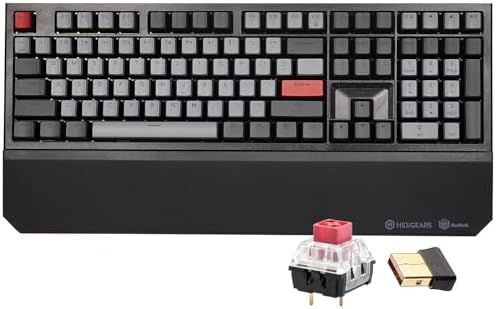
- 🚀 𝗘𝗹𝗶𝘁𝗲 𝗞𝗮𝗶𝗹𝗵 𝗕𝗢𝗫 𝗣𝗲𝗿𝗳𝗼𝗿𝗺𝗮𝗻𝗰𝗲——Experience ultimate speed and durability with custom Hexgears Kailh BOX Switches. Enginee…
- ⚡𝗡𝗞𝗥𝗢 𝗣𝗿𝗲𝗰𝗶𝘀𝗶𝗼𝗻 𝗳𝗼𝗿 𝗚𝗮𝗺𝗲𝗿𝘀 ——Dominate every crucial moment with N-Key Rollover (NKRO) technology. The PowerBlade X5 ensu…
- 🛡️ 𝗗𝗼𝘂𝗯𝗹𝗲-𝗦𝗵𝗼𝘁 𝗣𝗕𝗧 𝗗𝘂𝗿𝗮𝗯𝗶𝗹𝗶𝘁𝘆 ——Built to outlast the toughest battles, the keyboard features durable, frosted-finish PBT…

- Tri-mode Connection Mechanical Keyboard: The AULA F108 mechanical gaming keyboard supports BT5.0, 2.4GHz wireless and US…
- Hot-swappable Custom Keyboard: AULA F108 wireless mechanical keyboard comes with a hot-swappable base that is compatible…
- Advanced Five Layers Filling Structure: The mechanical keyboard wireless features an advanced structure, extended integr…
Best for:
- People who type a lot every day
- Users who want strong feedback and long-lasting keys
- Home offices where slightly louder typing is acceptable
Pros:
- Very durable switches
- Great typing feel and precision
- Often customizable with different keycaps
Cons:
- Usually louder than membrane keyboards
- Higher price than other options on this list
If you consider a mechanical keyboard on a low budget, look for “office-friendly” or “quiet” switches, such as linear or silent types.Practical Tips to Get the Best Value
- Set a clear budget range before shopping (for example, up to $20, $30, or $40). This will help you compare options more objectively.
- Read recent user reviews focusing on comfort, noise level, and durability rather than just star ratings.
- Check key layout photos carefully to make sure the Enter, Shift, and Backspace keys fit your habits.
- Consider bundles that include both keyboard and mouse, as they are often cheaper than buying each item separately.
- Look out for sales and discounts, especially during seasonal events, to get mid-range keyboards at entry-level prices.
Conclusion
You don’t need an expensive, high-end keyboard to be productive and comfortable at work. By focusing on key factors like comfort, noise level, layout, and build quality, you can find a budget-friendly keyboard that fits your office needs perfectly. Whether you prefer a simple wired model, a compact keyboard to save space, or an affordable wireless option, there are many great choices available even on a low budget. Take a bit of time to compare options, and you’ll quickly find a keyboard that helps you work efficiently every day.